See the essentials clearly
Bring compatible battery, charging, solar and sensor readings together on one screen.

One touchscreen for the equipment you already own. Add supported sensors, switching or cameras when you need them.
No router required. Local display only.
See what Quasar Glass readsStart with Quasar Glass on its own. See live information from compatible Bluetooth equipment on a clear 4-inch touchscreen, without adding a router or replacing the products already in your system.
Bring compatible battery, charging, solar and sensor readings together on one screen.
Quasar Glass works as a standalone local display. It does not need a Glass Router or an internet connection.
Grow Quasar Glass into a larger system later by adding networking, switching, tanks and other options.
| Quasar Glass 4 touchscreen | × 1A 4-inch, 480 × 480 touchscreen. It runs from a 9 to 24 V DC supply. |
|---|---|
| Quasar Glass display software | IncludedThe Quasar Glass display application, running on the panel. |
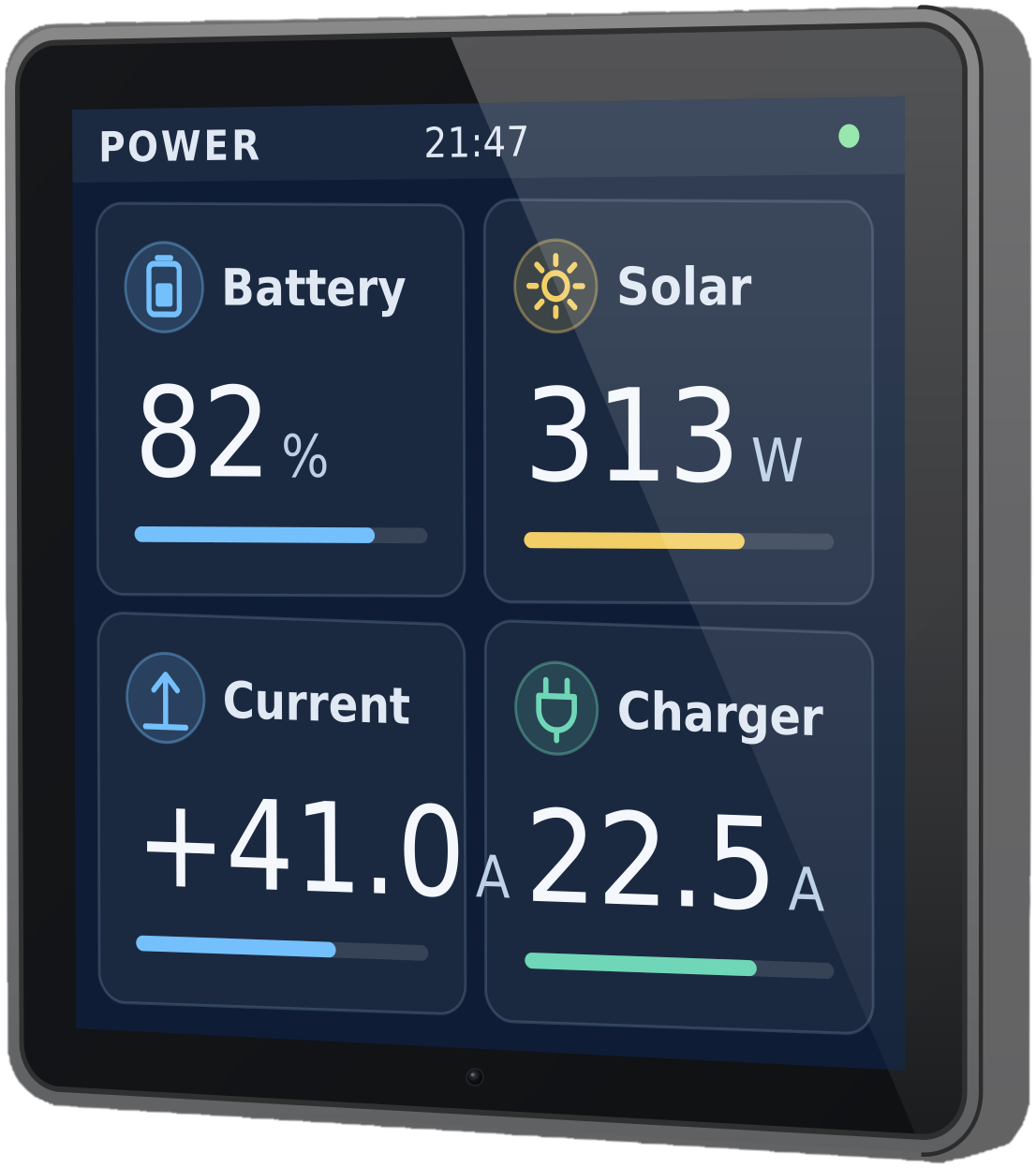
Designed to display: supported Bluetooth broadcasts from compatible equipment. Victron Bluetooth monitoring is read-only.
Quasar Glass is the smallest starting point. Add supported sensors now, or add STAR switching, more screens or cameras whenever you want them. None of them needs a router. Add the Glass Router when you want Glass connected to your phone.
Quasar Glass: 1 × Quasar Glass 4 touchscreen with the Quasar Glass display software. No Glass Router.
The customiser needs JavaScript. To order Quasar Glass or plan a larger system, email sales@safiery.com.
Compatible Victron devices send their readings straight to Glass over Bluetooth Instant Readout, and STAR-Tank sensors talk to Glass directly too. Glass shows the readings; it does not change Victron settings or switch Victron equipment.
| System | Supported | How |
|---|---|---|
| Victron SmartShunt | Yes | Battery state of charge, voltage and current, read over Bluetooth. |
| Victron Blue Smart chargers | Yes | Charging state and output, read over Bluetooth.Check that an older Blue Smart charger supports Instant Readout before you buy. |
| Victron SmartSolar MPPT | Yes | Solar power and yield, read over Bluetooth. |
| Victron Orion XS DC-DC chargers | Yes | Charge current, read over Bluetooth. |
| STAR-Tank radar tank sensors | Yes | Tank levels, straight to Glass with no router. One sensor per tank.Diesel tanks use STAR-Tank Fuel, which needs a metal reflector plate at the bottom of the tank. |
| STAR-Light and STAR-Power switching | Yes | Switched from Glass. They talk to Glass directly over Bluetooth, with no router.Sold separately. Add them under Make it yours. |
| More Glass displays and Wi-Fi cameras | Yes | Add them to Quasar Glass with no router.Sold separately. Add them under Make it yours. |
| Changing Victron settings or switching Victron equipment | No | The Bluetooth path is read-only. Victron settings stay in VictronConnect. |
| Your phone | With router | The Quasar Glass Router is what connects Glass to your phone. Quasar Glass, without one, is a local display. |
| Internet connection | Not needed | Quasar Glass is a local display and works without one. |
Setup. Use compatible device firmware and turn on Bluetooth Instant Readout in VictronConnect, then enter each device's Bluetooth address and Instant Readout encryption key in Glass. Bluetooth replaces the data cable only: Glass and each device still need their normal power wiring.
Yes. Each bundle is a starting configuration. You can add, remove or resize individual products, subject to compatibility requirements.
The Glass Router is the connection between Glass and your phone. Quasar Glass does not include it because it is designed as a standalone local display.
No. The Glass Router connects Glass to your phone. Quasar ONE and Quasar Twin are separate from this package: ONE collects readings on board, and Twin compares their history in the cloud; we confirm compatibility for your system.
Compatible Victron Bluetooth broadcasts can be displayed, but that Bluetooth path is read-only. Any control capability must be explicitly supported by the selected connection and product configuration.
Yes. Wireless describes the data connection. Displays, controllers, chargers and electrical loads still require appropriate power wiring and installation.
No router required. Local display only.